

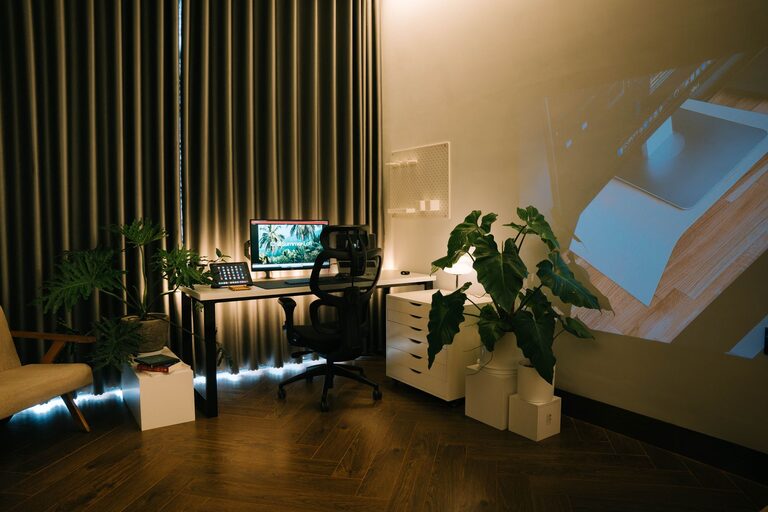
Creating a relaxing home workspace is essential for maintaining focus, reducing stress, and enhancing productivity—especially as more people work remotely. A well-designed workspace not only supports your tasks but also helps you feel comfortable and motivated. In this post, we’ll explore practical tips and ideas to transform any corner of your home into a calming and efficient work area.
Why a Relaxing Workspace Matters
Your environment has a powerful impact on your mood and performance. When your workspace feels tranquil and inviting, you’re more likely to stay focused and complete tasks with less frustration. On the other hand, cluttered or noisy spaces can increase anxiety and distract you from your work.
Choosing the Right Location
Pick a Quiet Spot
Try to find a place away from household traffic and noise. A quiet area helps you concentrate and prevents interruptions during meetings or calls.
Consider Natural Light
If possible, set up your desk near a window. Natural light can improve your mood, reduce eye strain, and make your space feel more open.
Think About Privacy
If your home is busy or shared with family, consider ways to create privacy. Room dividers, curtains, or even noise-cancelling headphones can help maintain focus.
Furniture That Supports Comfort and Health
Invest in an Ergonomic Chair
A comfortable, adjustable chair supports good posture and prevents back pain. Look for chairs with lumbar support and adjustable height.
Choose the Right Desk
Select a desk with enough surface area for your computer, notebooks, and other essentials. If space allows, a sit-stand desk is a great option to alternate positions throughout the day.
Organize Storage
Keep supplies organized with shelves, drawers, or desk organizers. A tidy workspace helps reduce distractions and makes it easier to find what you need.
Personalize Your Workspace
Use Calming Colors
Colors like soft blues, greens, or neutrals promote calmness. Consider painting the walls or adding accents in these tones.
Add Plants
Indoor plants improve air quality and add a touch of nature, which can boost your mood.
Display Inspiring Items
Photos, artwork, or motivational quotes can personalize your space and inspire creativity.
Minimize Distractions
Limit Digital Interruptions
Turn off unnecessary notifications and use apps to block distracting websites during work hours.
Manage Cables and Tech
Keep cords organized and out of the way to create a neat appearance and avoid tripping.
Set Boundaries
Communicate your work schedule to household members to reduce interruptions.
Create a Relaxing Atmosphere
Use Soft Lighting
Avoid harsh overhead lights by incorporating desk lamps or floor lamps with soft bulbs. Adjustable lighting helps reduce eye fatigue.
Include Comfort Items
A cozy blanket, supportive cushions, or even a small fan can add comfort.
Incorporate Soothing Sounds
Soft background music or nature sounds can make your workspace more pleasant and improve concentration.
Keep Your Workspace Clean and Organized
Regularly declutter your desk and surroundings. A clean space promotes a clear mind and helps maintain a productive routine.
Establish a Routine with Breaks
Step away from your workspace regularly to stretch, hydrate, or take brief walks. Breaks prevent burnout and keep your energy levels stable throughout the day.
Final Thoughts
Designing a relaxing home workspace doesn’t require a lot of money or space. Small adjustments—like better lighting, comfortable furniture, and thoughtful organization—can make a big difference in how you work each day. By creating an environment tailored to your needs, you’ll improve your well-being and enjoy your work-from-home experience more fully.